
Searching for a Warrant in Seminole County
Oklahoma has no single public warrant database. For a Seminole County District Court matter, open OSCN, pick the county or court, and enter the case number if you have one. A city ticket runs through that city's own court channel. The sheriff's Most Wanted page is a small subset, so treat it as a routing clue rather than a full result. If you are searching your own file, or a relative's with permission, follow that sequence in order.
- Read the sheriff’s Most Wanted disclaimer before using its Search Most Wanted control.
- Search OSCN Docket Search by Seminole County and case number.
- Call the Court Clerk at (405) 257-6236 if you lack the case number or see a clerk-office document note.
- Check the issuing municipal court. Seminole has a citation portal; Wewoka uses account and amount; Maud uses its clerk and court page.
- Call the sheriff at (405) 257-5445 for county routing, then request a narrow record if the public screens do not answer.
OSCN Case Numbers Are the Strongest Key
On OSCN, the visible starting controls are County or Court and Case Number, and a typical key looks like CF-2014-1. That number is a stronger tool than any assumption that a name-only public warrant search exists. District Court reports let you narrow by event, judge, case type, or filings by county. The official search screen earns its keep by showing the county and court selector rather than promising a statewide warrant roster. Anyone left with just a name should call the Seminole County Court Clerk with the city, an approximate date, and any old citation or case clue. The clerk can tell you whether the matter sits in District Court or a municipal court. The OSCN county and court screen shows those selector controls themselves; it is a convenience display, not the official case-management record.
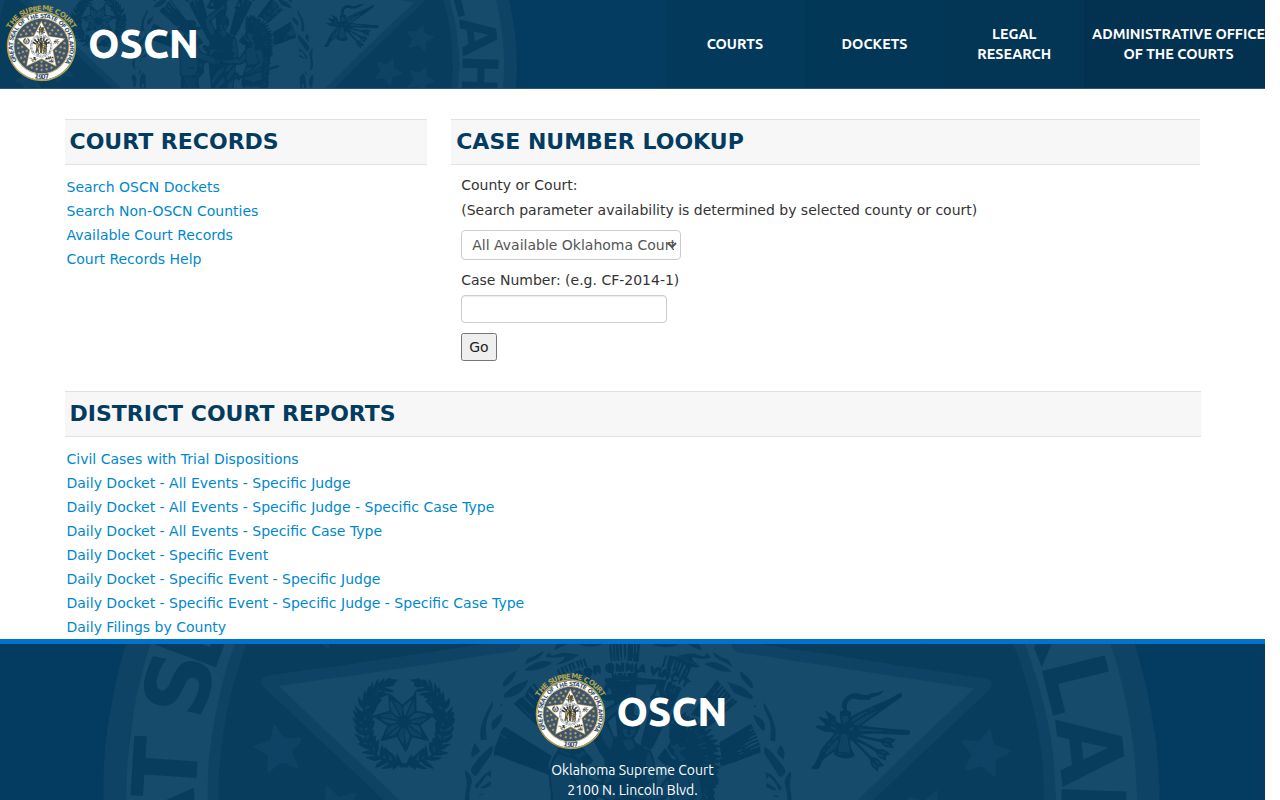
The frame holds search controls only, so confirm any warrant status with the Seminole County Court Clerk by phone.
Warrant Search Fields Explained
Seminole County systems do not all use the same keys. OSCN wants a county or court and a case number. The city of Seminole portal is citation-focused, so it adds date of birth, issuing state, vehicle, and business routes. Wewoka's public payment screen works from an account number, not a name-first warrant search.
| Channel | Field | Role | Seminole note |
|---|---|---|---|
| OSCN | County or Court | Choose the court layer | Select Seminole when offered. |
| OSCN | Case Number | Direct docket key | Use the court’s prefix and year format. |
| Seminole city | Citation plus DOB | Ticket lookup | Use your own citation and birth date. |
| Seminole city | DL, plate, name, or business | Alternate citation routes | Some routes require DOB or issuing state. |
| Wewoka | Account Number and amount | Payment route | No public warrant field set was exposed. |
| Sheriff | Search Most Wanted | Curated filter | No full name, DOB, or warrant-number search was confirmed. |
A screen can match an account while the court has not recalled the warrant. Save the source, then ask the issuing office in Seminole County for the status label that actually controls.
Seminole Municipal Portal Search Routes
The official Seminole municipal portal offers six citation routes: citation number with date of birth, driver's license with issuing state and date of birth, Social Security number with date of birth, license plate with issuing state, first and last name with date of birth, and business name. Treat these as court-account searches, not a countywide warrant system. The portal also says users with warrants cannot pay online and must call and speak with the judge. Its public notice posts weekday office hours and a short judge window, though those displayed times should be confirmed before you travel. The court phone is (405) 382-4330, and the city court page places the office at 401 N. Main in Seminole. Open the municipal citation search only for a matter you are authorized to check, and never turn a vehicle or business field into a search of other people. The city court contact page shows the service route and the payment warning. The issuing court still controls the next step in any Seminole County warrant question.
What a Seminole County Warrant Search Shows
A matched court record can show an event while the signed warrant image stays off screen. Read the court, case key, event sequence, and later service or recall entries together. OSCN may note that a document is available at the Court Clerk's Office. That is a direction to request the file, not permission to republish it.
| Case or citation | The key that ties a result to District Court or a city account. |
|---|---|
| Warrant event | WARRANT, BW-FAILURE TO APPEAR, BW-VIOLATION OF PROBATION, or a municipal status. |
| Court | The issuing District Court or city municipal court. |
| Bond or cost | A case-specific amount or condition, not a countywide schedule. |
| Status | Active, served, returned, recalled, quashed, cleared, or another clerk label. |
| Access note | Online, clerk-held, sealed, juvenile, or not viewable under court rules. |
Use a sample key such as CM-year-number only as a format illustration. Never paste a live person's name, date of birth, address, or case number into any public Seminole County page.
When OSCN Shows an Event, Not the File
OSCN can show a warrant-related docket entry while the signed order, affidavit, return, or personal identifiers remain at the Court Clerk's office or stay protected under OCCA Rule 2.6. That rule calls the internet database a convenience resource and says discrepancies are resolved by the court's case-management record. So call the Court Clerk at (405) 257-6236 during listed hours, 8:00 a.m. to 4:00 p.m., and ask which event controls. Ask whether the entry says the document is available at the clerk's office, whether the warrant is still outstanding, and what recall, bond, reset, or appearance instruction applies. The access rule explains why a web result and an official file in Seminole County may not contain the same material.
The docket frame is a search aid, not a certification of a person’s status.
Where to Check Warrants in Seminole County
Where you check depends on which court holds the file. District Court warrant matters in Seminole County run through OSCN and the Seminole County Court Clerk. City ordinance and traffic cases belong to the issuing city clerk or judge. The sheriff can route county execution or custody questions, though its public page does not show every warrant. The official county map lists no separate public Justice of the Peace warrant court. Match the route to the ticket. Seminole's portal may find a citation, but it blocks online payment once warrant language appears. Wewoka keeps a clerk and a Monday court session, with no public warrant search. Maud has a named court process. Konawa and Bowlegs need confirmation from the current custodian. For a formal request, describe the record narrowly and send it to the office holding the file. The sheriff sits at 211 E. 2nd Street, Wewoka, Oklahoma 74884. The main line is (405) 257-5445. The jail line is (405) 257-6235.
No-Result Scenarios in Seminole County
A blank result means less than people hope. On the sheriff's curated page, a no-result shows only that no card was displayed. An OSCN no-result can point to a municipal, juvenile, sealed, or newly entered case, a filing in another county, or simply the wrong search terms. A city screen may show the citation yet leave out the warrant instruction. Every failure has a lawful next call. People also mix up the sheriff's inmate search with a Seminole County warrant search. It is not one. That tool is a custody and VINE channel, and the split matters when you need the issuing court's order rather than a booking status. The official custody page spells out that separation.
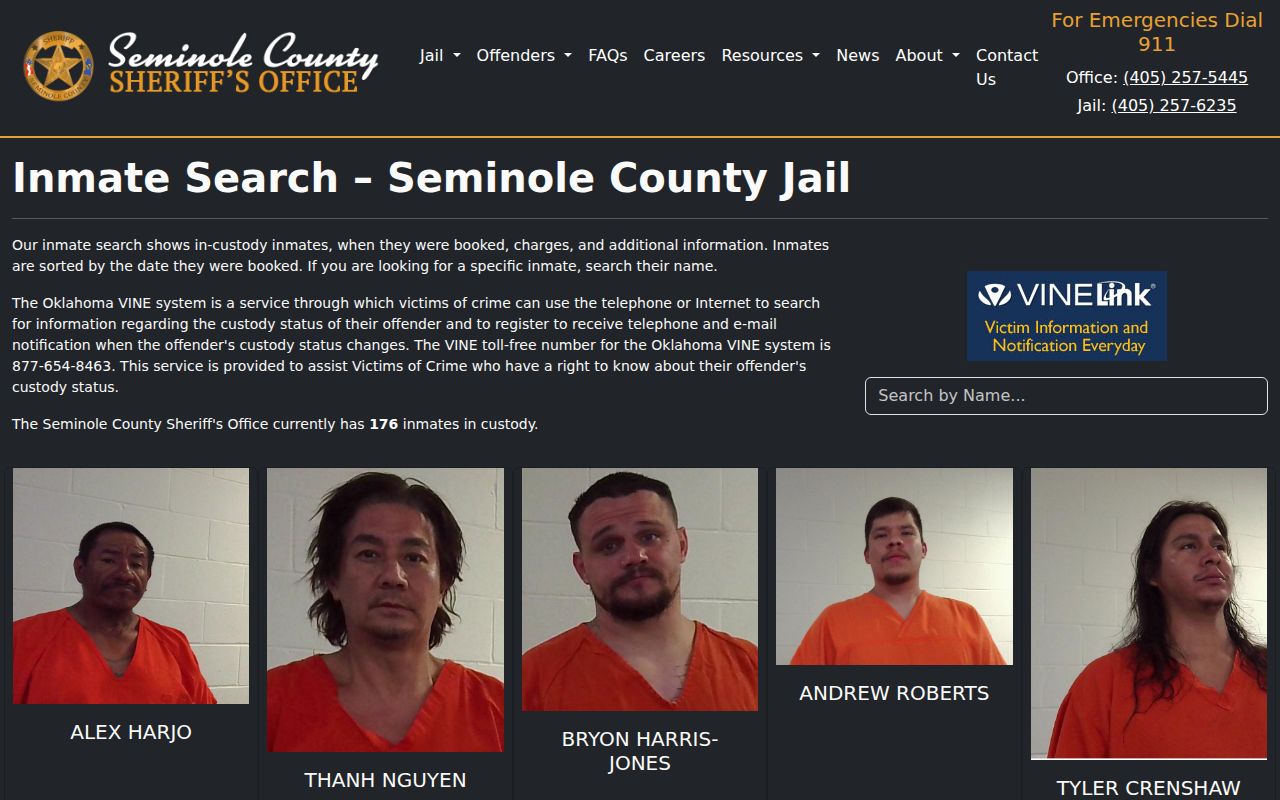
A custody result from Seminole County proves neither that a warrant was recalled nor that the underlying case closed.
Restricted Warrants and Access Rules
Public access is not universal display. In Seminole County as elsewhere, juvenile court, agency, law-enforcement, and social records are generally confidential under Title 10A, and juvenile material may be sealed. OCCA Rule 2.6 also limits online access to protected warrant documents and personal identifiers. Treat a missing screen result as an access limit or a routing problem, not as the final word.
Key rules:
51 O.S. §24A.5 supports a specific request with a time frame, record type, and search terms.
51 O.S. §24A.8(A)(6) names warrant dispositions if kept by law enforcement.
Title 10A limits juvenile access and sealing.
Ask for any non-exempt portion and the legal basis for withholding. A narrow request for your own Seminole County case, or an authorized relative's, works better than a bulk roster demand.
A Narrow Oklahoma Records Request
When public screens fail, request a known warrant disposition, return, recall, quash order, or compliance record. Name the issuing court, the case or citation number, the date range, and the status terms you seek. Ask for a fee estimate, the current records contact, and the legal reason for any withheld part. In Seminole County, keep city and county rules separate. The Wewoka open-records page says requests may take up to seven business days and lists that city's copy and search fees. Wewoka's rates do not bind the sheriff. The sheriff's site publishes no records email, form, or warrant fee schedule, so confirm the current route by phone. Save whatever response comes back. It can identify the issuing court even when a protected document cannot be released.